Athan app icon

Prayer times, right where you need them, wherever you go

macOS · iOS · Android

Athan keeps you connected to your prayers throughout the day. Accurate times, smart notifications, and calendar integration that works around your schedule.

Everything you need. Nothing you don't.

Athan stays out of your way until it's time to pray. No bloat, no ads, no distractions.

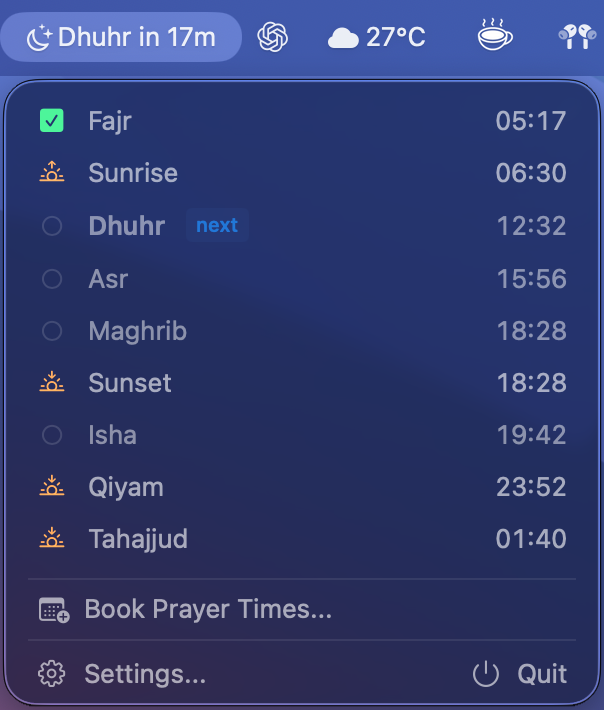
Athan menu bar showing prayer times

Menu Bar Native

Lives in your menu bar, always one glance away. Choose to see the next prayer, current prayer, countdown, or just the icon.

Accurate Prayer Times

Powered by the Adhan library with 12 calculation methods used worldwide. Auto-detects the right method based on your location.

🔔

Smart Notifications

Get notified when a prayer starts and set reminders before it ends. Configurable 15, 20, or 30 minute warnings so you never miss a prayer.

Prayer Tracking

Mark prayers as completed with a simple click. Resets daily at Fajr. A small thing that builds a big habit.

🌏

Location Aware

Uses your GPS location with reverse geocoding. Automatically updates prayer times when you travel. No manual city selection needed.

🕌

Jumu'ah Support

Special handling for Friday prayers with configurable duration and optional fixed start times for your local mosque.

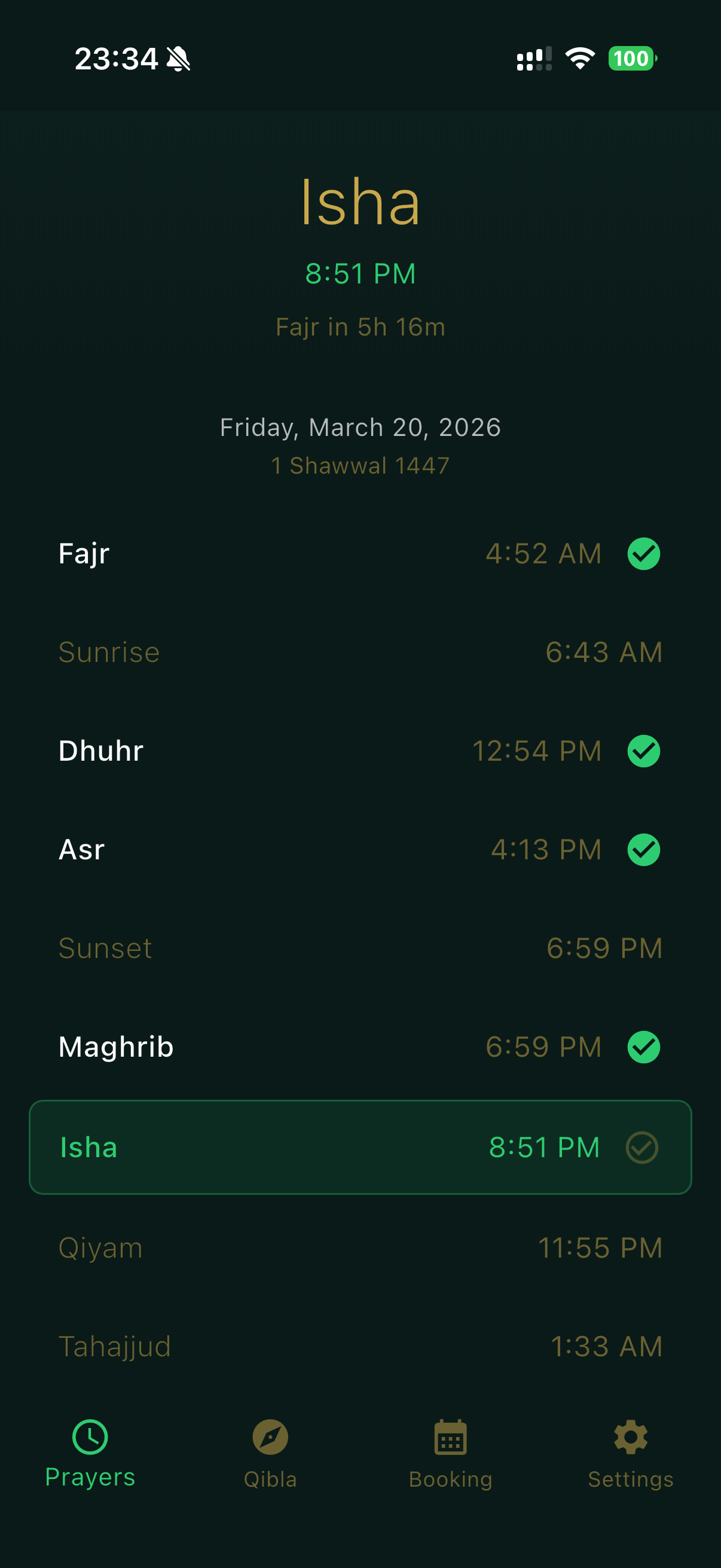
Athan mobile prayer times screen

Always Accessible

Prayer times at your fingertips. Open the app to see today's full schedule with the current and next prayer highlighted.

Accurate Prayer Times

Powered by the Adhan library with 12 calculation methods used worldwide. Auto-detects the right method based on your location.

🔔

Smart Notifications

Get notified when a prayer starts and set reminders before it ends. Configurable warnings so you never miss a prayer.

Prayer Tracking

Mark prayers as completed with a simple tap. Resets daily at Fajr. A small thing that builds a big habit.

🌏

Location Aware

Uses your GPS location with reverse geocoding. Automatically updates prayer times when you travel. No manual city selection needed.

🕌

Jumu'ah Support

Special handling for Friday prayers with configurable duration and optional fixed start times for your local mosque.

🧭

Qibla Compass

Find the direction of the Ka'aba from wherever you are. A beautiful compass that shows you exactly which way to face for prayer.

Never miss a prayer, even on your busiest days

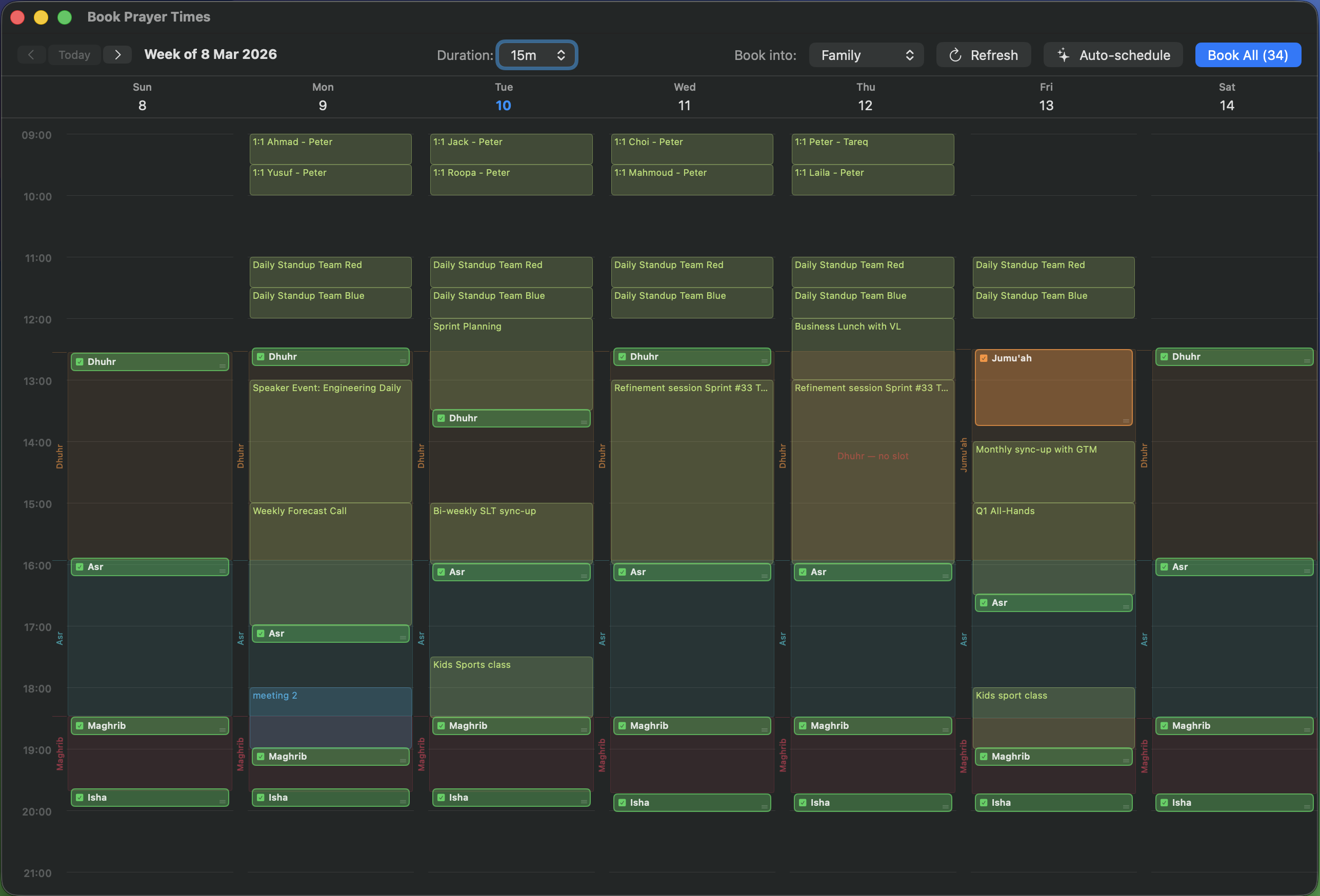
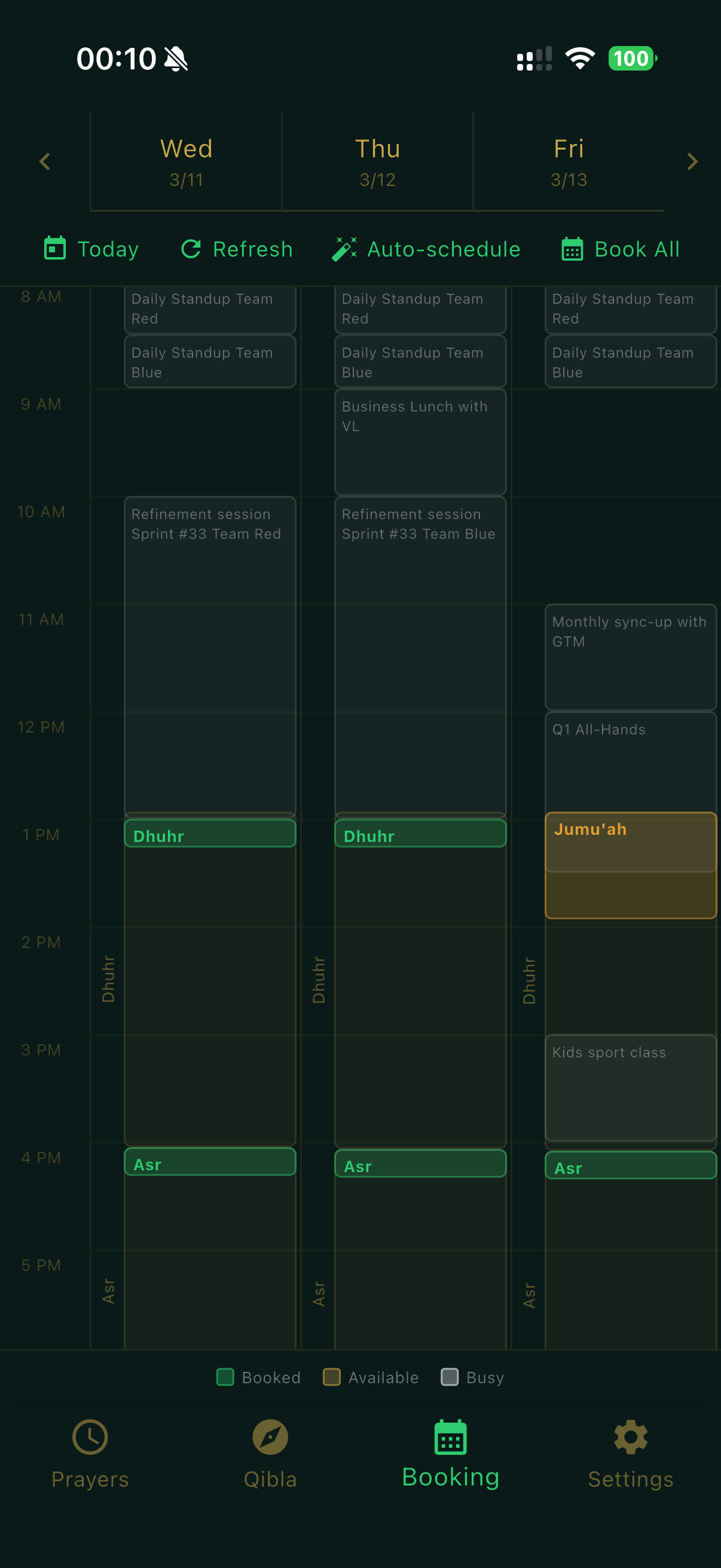
Life happens. Meetings shift, days get packed, and prayer times can slip through the cracks. Athan's booking wizard reserves prayer slots as early as possible within each prayer window, working around your existing commitments — weeks or even months ahead of time.

  • Auto-schedules prayers at the earliest available time in each prayer window
  • Reads your calendar to avoid conflicts with existing commitments
  • Plan ahead — book prayer times weeks or months in advance
  • Adjust any proposed slot to fit your schedule
  • Books directly into your calendar with one click
  • Extended Jumu'ah duration with custom start times for Fridays

Athan calendar booking view showing prayer slots scheduled around meetings
Athan mobile calendar booking view

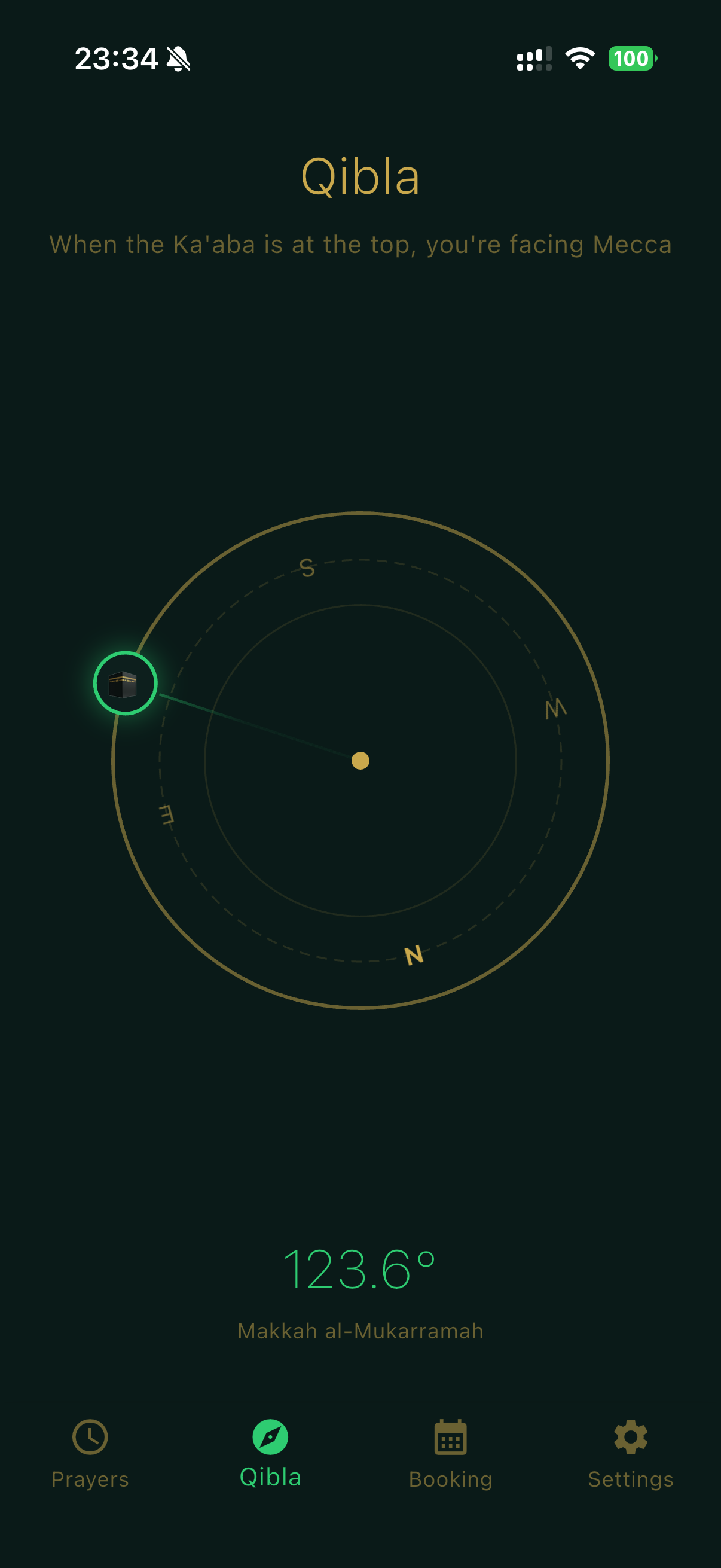
Qibla compass, always with you

Know exactly which direction to face for prayer, wherever you are in the world. The built-in compass shows the direction to the Ka'aba in Makkah with precision.

  • Real-time compass using your device's sensors
  • Shows exact bearing and distance to Makkah
  • Works offline — no internet connection needed
Athan Qibla compass showing direction to Makkah

Up and running in under a minute

1

Install & allow location

Download from the Mac App Store. The guided onboarding asks for location access to calculate accurate prayer times for where you are.

2

Pick your method

Athan auto-detects the right calculation method for your region. Adjust the madhab and display preferences to match your practice.

3

Pray on time

Prayer times appear in your menu bar. Get notified, track your prayers, and optionally book them into your calendar.

1

Install & allow location

Download from the App Store or Google Play. The guided onboarding asks for location access to calculate accurate prayer times for where you are.

2

Pick your method

Athan auto-detects the right calculation method for your region. Adjust the madhab and display preferences to match your practice.

3

Pray on time

Prayer times are always a tap away on your home screen. Get notified, track your prayers, and optionally book them into your calendar.

Your practice, your preferences

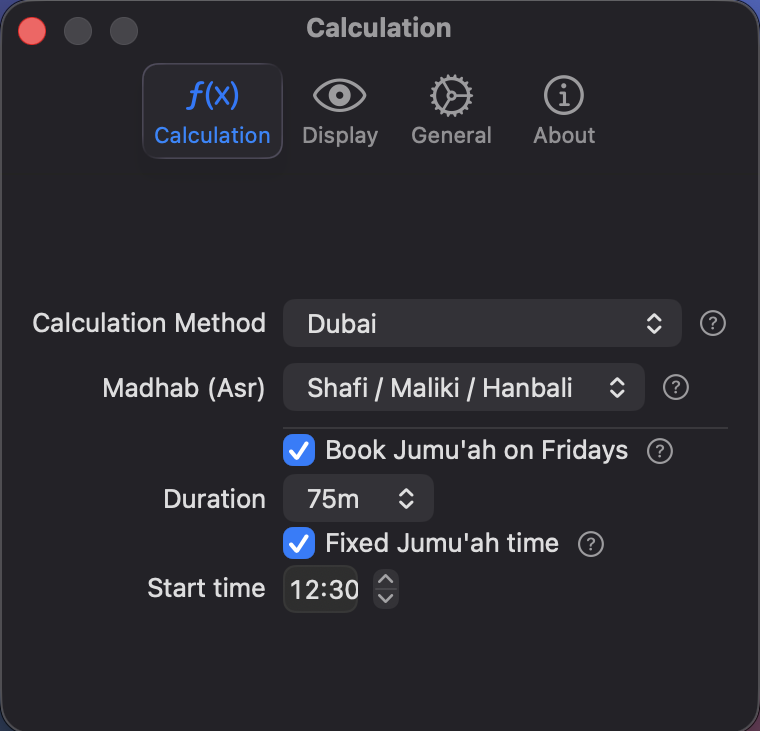
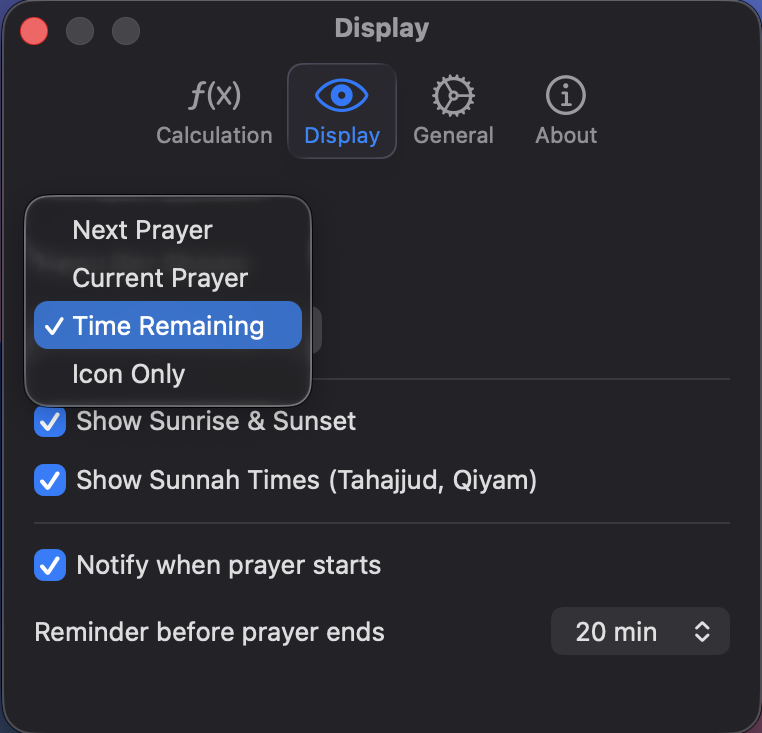
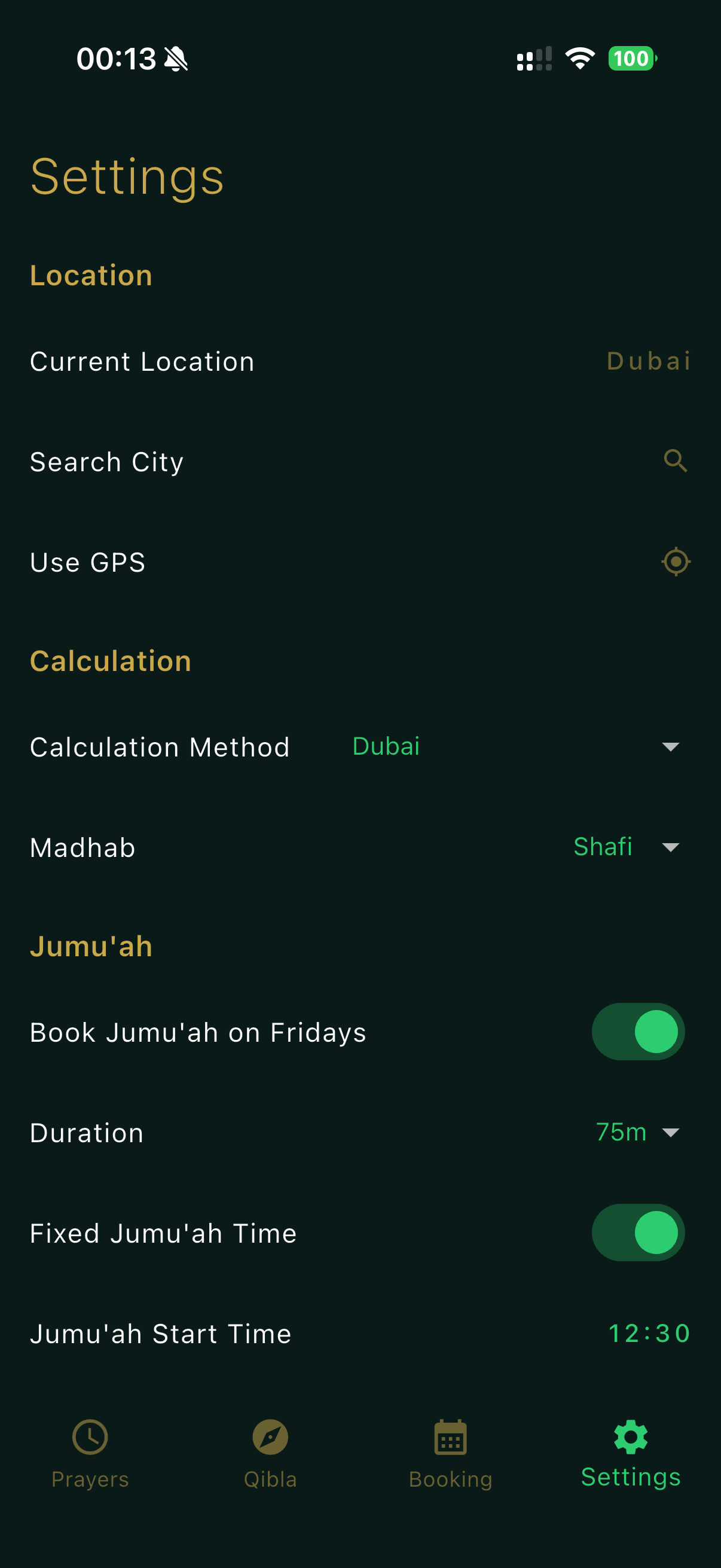
Choose your calculation method, madhab, display mode, notifications, and Jumu'ah settings. Everything adapts to how you pray.

Athan calculation settings

Calculation method, madhab & Jumu'ah settings

Athan display settings

Display mode, notifications & reminders

Athan mobile settings — location, calculation, Jumu'ah

Location, calculation method & Jumu'ah settings

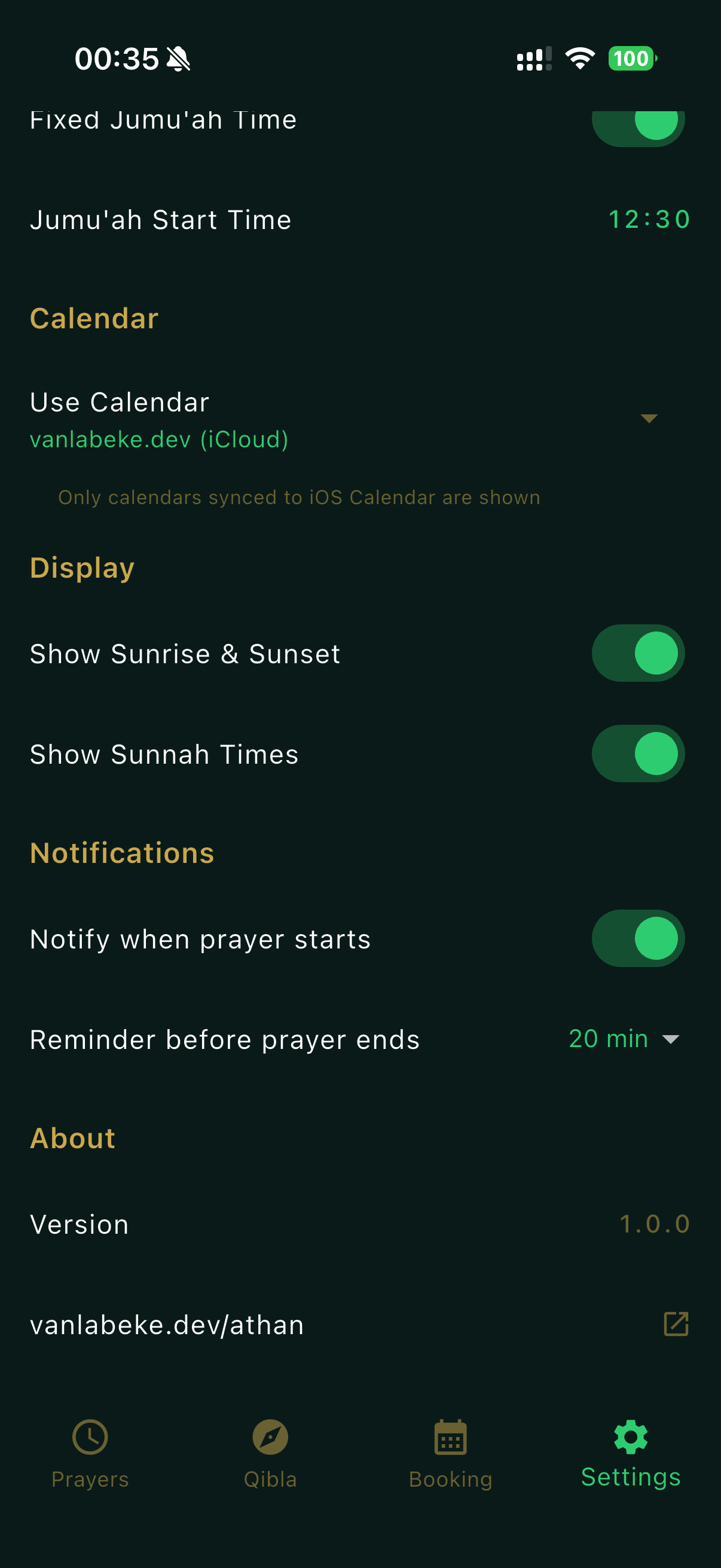
Athan mobile settings — calendar, display, notifications

Calendar, display & notification settings

12 methods. Global accuracy.

Athan supports every major Islamic calculation method, automatically selecting the right one based on your location.

ISNANorth America
Muslim World LeagueEurope, Asia
EgyptianAfrica, Middle East
Umm Al-QuraSaudi Arabia
KarachiPakistan
DubaiUAE
KuwaitKuwait
QatarQatar
SingaporeSE Asia
TehranIran
DiyanetTurkey
MoonsightingUK, N. America

Free to use. Pay once to unlock more.

Core prayer times and notifications are completely free. Calendar booking is a one-time purchase.

Free

$0
Free forever
  • Accurate prayer times
  • Menu bar display (4 modes)
  • Smart notifications
  • Prayer tracking
  • 12 calculation methods
  • Sunrise, sunset & sunnah times
  • Calendar booking
Download free

Free

$0
Free forever
  • Accurate prayer times
  • Smart notifications
  • Prayer tracking
  • 12 calculation methods
  • Qibla compass
  • Sunrise, sunset & sunnah times
  • Calendar booking
Download free

Calendar Booking

$4.99 $0.00
Now free of charge!
  • Everything in Free
  • Smart calendar scheduling
  • Conflict detection
  • Jumu'ah booking
  • Week-at-a-glance view
  • One-click booking
Get Athan

Start praying on time today

Athan is free to download. Install it once and it quietly keeps you on track, every single day.

Download on the Mac App Store
Requires macOS 14 Sonoma or later

Start praying on time today

Athan is free to download. Install it once and it quietly keeps you on track, every single day.

Requires iOS 17 or later / Android 10 or later
I admittedly often struggled getting my prayers done in due time during work hours. The only way I saw working was to add the prayers into my calendar but that just takes so much effort it never happens. Thanks to this simple app, with a few mouse clicks I have all prayers scheduled intelligently, and directly pushed into my calendar. I have no more excuses now!
Cedric Van Labeke
Author of Athan

Common questions

Athan books prayer times into your device's built-in calendar. To see and schedule around your Exchange or Outlook events, add that account to your device's calendar app:

On macOS: Open System Settings → Internet Accounts → Add Account → Microsoft Exchange. Sign in with your work credentials. Make sure Calendar is enabled. Your Exchange events will appear in Apple Calendar, and Athan will automatically see them when scheduling prayers.

On iOS: Go to Settings → Calendar → Accounts → Add Account → Microsoft Exchange. Sign in and enable Calendar sync. Athan will see your Exchange events alongside your personal calendar.

On Android: Add your Exchange or Outlook account in your device's calendar app. Once synced, Athan will be able to read your work events and schedule prayers around them.

Core features — prayer times, notifications, prayer tracking, and the Qibla compass — are completely free on all platforms, forever.

The calendar booking feature is free on iOS and Android. On macOS, it's available as a one-time $4.99 in-app purchase — no subscriptions, no recurring fees.

Athan supports 12 major Islamic calculation methods: ISNA, Muslim World League, Egyptian, Umm Al-Qura, Karachi, Dubai, Kuwait, Qatar, Singapore, Tehran, Diyanet, and Moonsighting Committee. The app auto-detects the right method based on your location, but you can always switch manually.